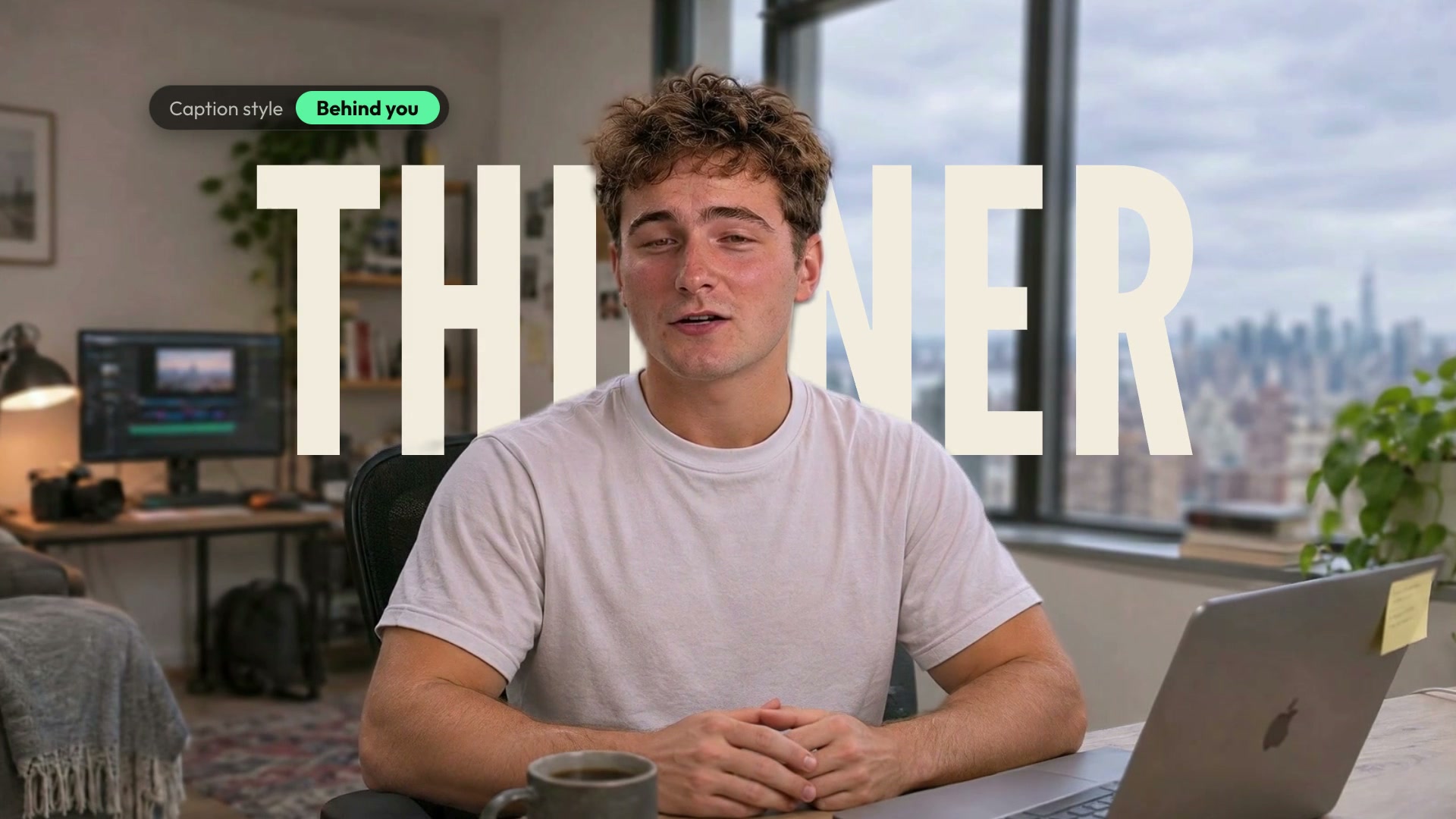
Submagic made one look famous: big, bouncy, word-by-word captions with emoji and auto-zooms, the style that keeps a muted scroller watching on TikTok and Reels. Iris, its new agent, adds cuts, B-roll, motion graphics and music on top, and Trustpilot gives it 4.5 from 865 reviews.
The friction comes with growth: 2-minute videos on Starter, 3 credits per upload, and captions that look like everyone else's. The 10 tools below each fix one of those, grouped by job.
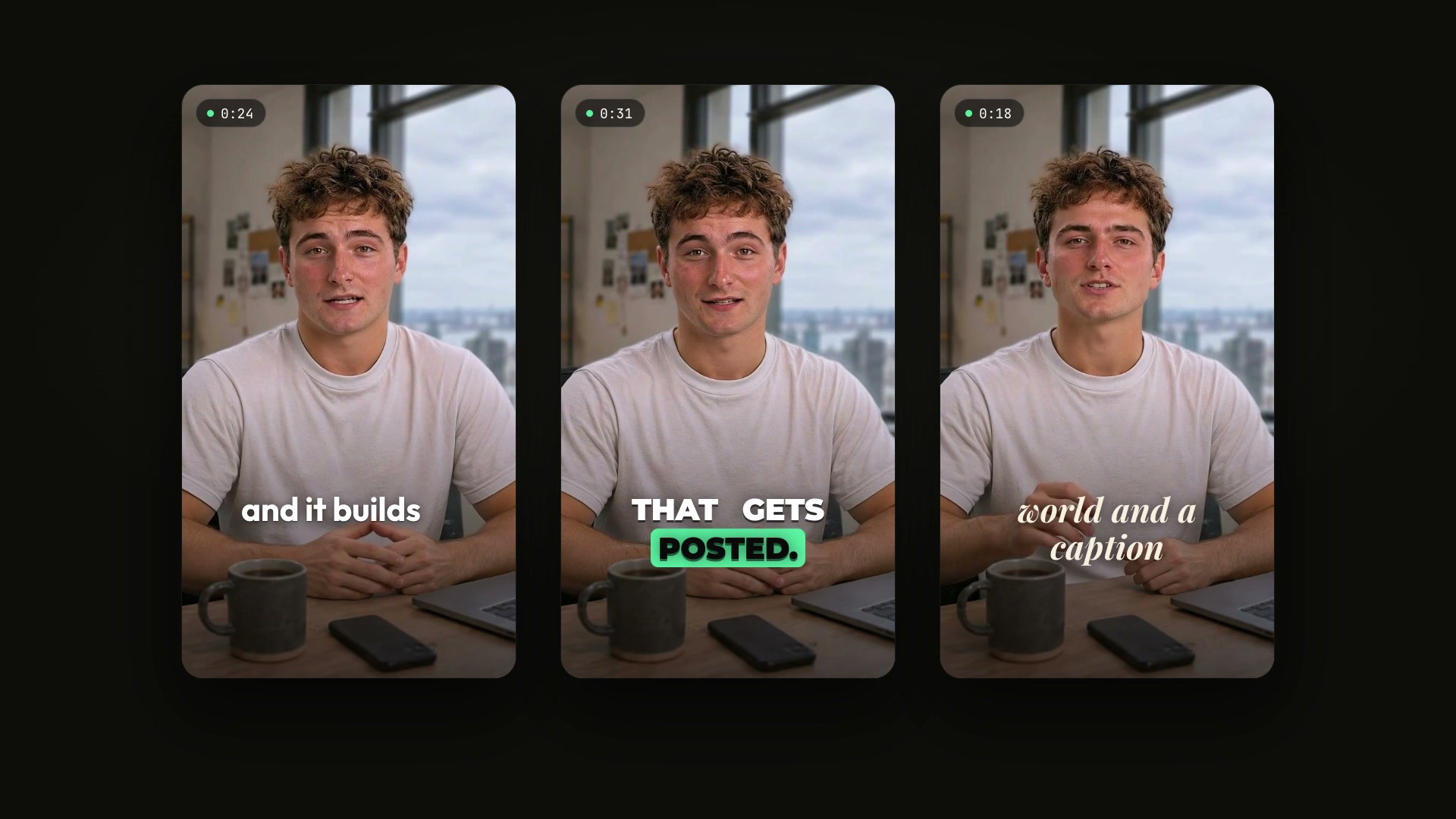
One talking-head take, its captions changing style on every beat. Made with HyperFrames for this page.
Why look for a Submagic alternative?
Why consider an alternative to Submagic? Here is what its pricing page and reviews show:
Length and quality caps
Starter caps each captioned video at 2 minutes and 1080p at 30 fps. Pro ($39) stretches that to 5 minutes; 30-minute videos and 4K at 60 fps need Business at $69 a month.
Credits that go faster than they look
Each upload costs 3 credits, so Starter's 45 monthly credits cover about 15 captioned videos, and the free plan's 15 credits are given once, not monthly.
Billing friction
Trustpilot reviewers describe a sale processed "without giving us the opportunity to not submit it". The score is still 4.5, so treat this as a pattern among unhappy users, not the norm.
Sameness
Popular templates can make your captions look like everyone else's. That is our view, not a measured finding.
Quick comparison: the best alternatives vs Submagic
Ten alternatives at a glance, with Submagic listed last for reference.
Tool | Best for | Our rating | Free plan | Starting price |
|---|---|---|---|---|
HyperFrames | Captions you can restyle word by word | 4.7/5 | Yes, unlimited local exports | Free to start |
Captions | Captioning talking heads on your phone | 4.4/5 | Yes, no AI credits | $24.99/mo (web) |
CapCut | Free auto captions on every device | 4.3/5 | Yes | $19.99/mo |
OpusClip | Ranked clips with captions | 4.3/5 | Yes, 60 credits/mo, watermark | $15/mo |
Vizard | Very long uploads | 4.3/5 | Yes, 720p, watermark | $29/mo list |
Exemplary AI | Captions in 99 languages plus written content | 4.0/5 | Yes, 300 credits once | $19/mo |
VEED | Subtitles plus a full browser editor | 4.1/5 | Yes, watermark | $25/mo per editor |
Kapwing | Subtitles for a team in the browser | 4.0/5 | Yes, 720p, watermark | $24/mo |
Descript | Captioning long videos you edit by text | 4.1/5 | Yes, 1 hr/mo, 720p | $24/mo |
Higgsfield | Avatar-hosted shorts from a topic | 3.7/5 | Yes, no credits | $19/mo |
Submagic (for reference) | Template captions and zooms on shorts | Not rated | 15 one-time credits, watermark | $19/mo |
Ratings average our three scores (fit, ease of use, value); see How we checked. Monthly list prices on 26 November 2026.
Why trust us? HeyGen makes HyperFrames and publishes this page, so we compete with the tools below. Every rival's price, plan and feature comes from its own pricing page, help center or changelog, read on 25 and 26 November 2026. User complaints are quoted from public review sites and linked in How we checked. HyperFrames claims come from its pricing page and from the Studio app's current build. Where a rival is the better pick, we say so.
Caption your next video in your own style, free
Best Submagic alternatives for caption styles
Submagic is a caption specialist. These three beat it on one caption axis each: control, phone editing, or price.
#1 HyperFrames: Best for captions you can restyle word by word
A captions film made with HyperFrames by the HyperFrames team: word-by-word lines, a highlighted keyword and type that reads with the sound off.
Our rating: 4.7/5. Fit for this job 4.7/5, ease of use 4.5/5, value for money 4.9/5.
Submagic made the bouncy word-by-word caption famous, and its templates apply it in a few clicks. Two things stop it: the 2-minute cap on Starter, and captions that look like everyone else's. Drop a video of any length into HyperFrames and every word gets a caption timed to your voice, while the pauses and filler words go. Saw a caption style you love on a short that is taking off? Paste it, and the agent rebuilds that style on your footage, in your font and colours. Don't like one word? Point at it and only that word changes. When a short works, make twenty versions with new hooks, and the captions re-fit each one. It is free to start, with no watermark on your computer.
In HyperFrames Studio you drop in your video and ask: "word-by-word captions, the spoken word in yellow, big and bold, two lines at most." The AI agent transcribes it, times every word to your voice, and applies the style. Each word stays editable: fix a misheard name, colour one keyword or push one word behind you, and ask for another look while the timing stays put. See the full range on the animated captions page.
Standout feature: Captions on a video of any length, timed by an agent, with every single word still yours to recolour, move or fix.
What's the difference between HyperFrames and Submagic? Submagic applies caption templates fast to short videos. HyperFrames lets an AI agent caption videos of any length and keeps every word, colour and position editable, so your captions don't look like everyone else's.
HyperFrames pros:
- No 2-minute or 5-minute cap on captioned videos
- Restyle one word or the whole video by asking
- Free, with local exports that carry no watermark and no export limit
- Remakes a caption style you saw instead of picking from a shared template
HyperFrames cons:
- No phone app: you caption on a Mac, Windows or Linux computer, or on the web
Pricing: Free to start: a free download for Mac, Windows and Linux, or start in your browser, with exports on your computer and no watermark.
Choose HyperFrames if: your captions are part of your brand, your videos run past 2 minutes, or you want to restyle one word without redoing the rest.
What's new in HyperFrames: In November 2026, Edit my footage reached every current Studio app build, so one session can cut the ums, fix the sound and caption the result.
Available for: Mac, Windows and Linux (the Studio app), the web, and inside Claude, ChatGPT and Grok through the HyperFrames connector
One winner, twenty versions. When a video works, its hook, pace and cuts carry over. Only the footage changes.
Caption a video free
#2 Captions: Best for captioning talking heads on your phone
Our rating: 4.4/5. Fit for this job 4.4/5, ease of use 4.7/5, value for money 4.0/5.
Captions does what its name says on an iPhone. AI Edit goes further than Submagic's templates by cutting scenes and adding B-roll and music to the whole video at once, then letting you change it by chatting, and Clips turns a long video into post-ready shorts.
Standout feature: Captions in 100+ languages and 100+ styles, edited on an iPhone.
What's the difference between Captions and Submagic? Captions edits the whole talking-head video on your phone, with captions in 100+ languages and 100+ styles. Submagic is web-only and leans on templates and auto-zooms.
Captions pros:
- Captions in 100+ languages and 100+ styles
- AI Edit and a chat-based editor
- Eye contact fix, translation and lip-dub
- Strong iPhone app (4.7 stars from 39,000 US ratings)
Captions cons:
- Free plan has no AI credits
- One App Store reviewer says credits went on fixing the AI's own mistakes
Pricing: Free sign-up with basic trimming and no AI credits. Max is $24.99 a month on the web; the iPhone app sells Basic at $9.99 a month.
Choose Captions over Submagic if: you record and caption on your iPhone.
What's new in Captions: Mirage Studio was merged into Captions, and iOS 13.45.0 shipped around 25 November 2026. The company is now called Mirage; the product is still Captions.
Available for: iPhone and web
#3 CapCut: Best for free auto captions on every device
Our rating: 4.3/5. Fit for this job 4.0/5, ease of use 4.6/5, value for money 4.4/5.
CapCut's Auto Captions are free to start on the web, Windows, Mac, iPhone and Android, inside a full video editor. For most creators it is the familiar free answer to "which app adds captions automatically?", though reviewers report errors in Generate Captions.
Standout feature: Auto Captions free on every device, inside a full editor.
What's the difference between CapCut and Submagic? CapCut is a free, full editor with auto captions. Submagic is a caption specialist with auto-zooms and B-roll.
CapCut pros:
- Free, fast and familiar on phone and desktop
- Templates for trends
- Auto captions, text to speech and background remover
- Plugin for ChatGPT and Codex
CapCut cons:
- Pro paywalls can appear at the export screen
- Trustpilot score of 1.2 (1,416 reviews); the low reviews we read mention charges after cancelling
Pricing: Free plan with basic editing and free templates. Pro is $19.99 a month on the web; the app stores sell other plans.
Choose CapCut over Submagic if: you want captions free and edit everything else yourself.
What's new in CapCut: The CapCut plugin is live in ChatGPT and Codex, and iOS 20.3.0 (24 November 2026) improved trimming.
Available for: Web, Windows, Mac, iPhone and Android
Best Submagic alternatives for clips from long videos
Submagic's Magic Clips cuts shorts from videos up to 3 hours. These three were built for that job first.
#4 OpusClip: Best for ranked clips with captions
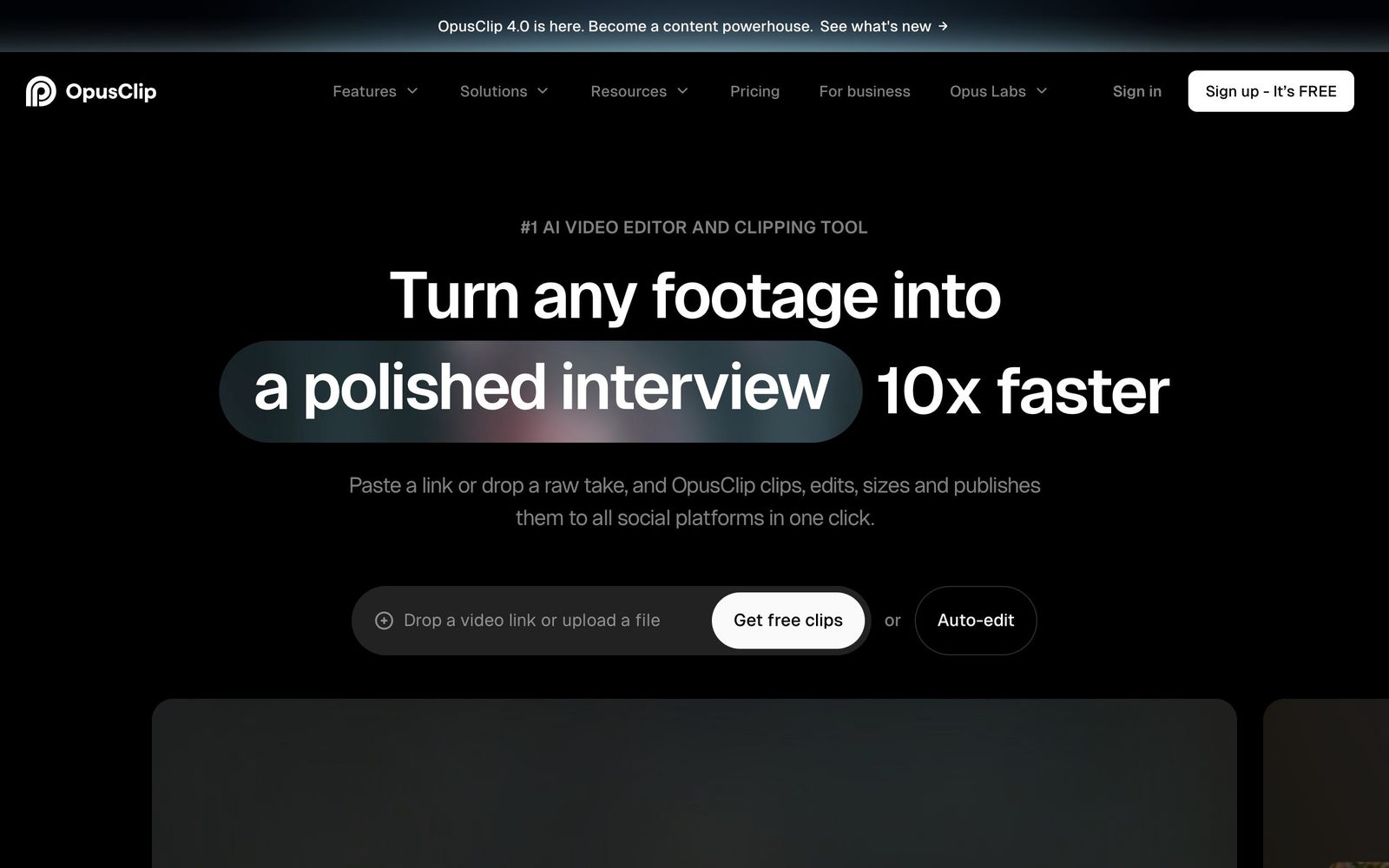
Our rating: 4.3/5. Fit for this job 4.4/5, ease of use 4.5/5, value for money 4.1/5.
OpusClip finds the best moments in a long video, ranks them, captions them in 20+ languages and reframes them for Shorts and Reels. If you use Submagic mainly through Magic Clips, OpusClip is the specialist, though a Product Hunt reviewer wants more manual control over caption line breaks.
Standout feature: Finds and ranks the best moments in a long video before captioning them.
What's the difference between OpusClip and Submagic? OpusClip is stronger at finding clips in long videos and ranks them. Submagic has richer caption templates and auto-zooms for videos that are already short.
OpusClip pros:
- Fast, ranked clips from one upload or link
- Animated captions in 20+ languages
- Exports XML to Premiere Pro and DaVinci Resolve on Pro
- Social scheduler and API on Pro
OpusClip cons:
- Free exports carry a watermark and media expires after 3 days
- One Trustpilot reviewer waited over a day for a human reply; another lost paid credits after cancelling
Pricing: Free plan with 60 credits a month, a watermark and up to 1080p. Starter is $15 a month (monthly only); Pro is $29 a month, or $14.50 a month billed yearly.
Choose OpusClip over Submagic if: your shorts come from long podcasts or streams.
What's new in OpusClip: OpusClip 4.0 (2 November 2026) added auto-edit for raw talking-head videos, saved edit Recipes, Viral Hook and Motion Graphics.
Available for: Web, plus an API and a Claude connector
#5 Vizard: Best for very long uploads

Our rating: 4.3/5. Fit for this job 4.3/5, ease of use 4.4/5, value for money 4.1/5.
Vizard takes uploads up to 10 hours on paid plans, against Magic Clips' 3. It adds auto emojis and keyword highlights, the same caption tricks Submagic is known for, and exports in 4K.
Standout feature: One upload can return 30+ clips, and paid plans take uploads up to 10 hours and export in 4K.
What's the difference between Vizard and Submagic? Vizard handles videos up to 10 hours. Submagic caps Magic Clips at 3 hours and captioned videos at 2 to 30 minutes depending on plan.
Vizard pros:
- Many clips from one long upload
- Face-tracking reframe, subtitles, translation and keyword highlights
- Vizard Agent edits a finished video from a brief
- Team workspace, brand kit and scheduler
Vizard cons:
- Free exports are 720p with a watermark, and videos are deleted after 3 days
- No refunds, and unused credits are lost when you cancel (per Vizard's terms as quoted by a Trustpilot reviewer)
Pricing: Free plan with 60 credits a month, 720p exports and a watermark. Paid plans list at $29 and $39 a month, less when billed yearly.
Choose Vizard over Submagic if: your source videos run longer than 3 hours.
What's new in Vizard: Vizard Agent, an editing agent that works from a written brief (blog post, 29 June 2026), now appears on every plan.
Available for: Web, plus an API and an MCP connector
#6 Exemplary AI: Best for captions in 99 languages plus written content

Our rating: 4.0/5. Fit for this job 3.9/5, ease of use 4.2/5, value for money 3.9/5.
Exemplary AI cuts clips with animated captions, zooms, emojis and B-roll, each with a virality score. Its Creator plan costs the same as Submagic Starter and takes videos up to 4 hours instead of 2 minutes.
Standout feature: Emmy, a chat assistant beside every transcript, cuts clips, writes posts and builds audiograms on request, and each answer points to the moment it came from.
What's the difference between Exemplary AI and Submagic? Exemplary AI handles long videos and writes posts too. Submagic has the richer caption templates and the Iris agent.
Exemplary AI pros:
- Transcription in 99 languages and translation into 116
- AI clips with virality scores, animated captions and B-roll
- Edit video by editing the transcript
- Writes 17 kinds of content, from show notes to newsletters
Exemplary AI cons:
- Free credits are one-time, and free exports are 720p with a watermark
- Social publishing, avatars, dubbing and a mobile app are still marked coming soon
Pricing: Free forever plan with 300 one-time credits, 720p and a watermark. Creator is $19 a month, or $15 a month billed yearly ($180 a year).
Choose Exemplary AI over Submagic if: your source videos are long and multilingual.
What's new in Exemplary AI: No public changelog found. The homepage marks the meeting notetaker as new (undated).
Available for: Web, plus an API and MCP for Claude, ChatGPT and Cursor
Best Submagic alternatives for full editing
When captions are one step of bigger content creation and you need full editing tools: B-roll, dubbing, a team, or the whole episode.
#7 VEED: Best for subtitles plus a full browser editor
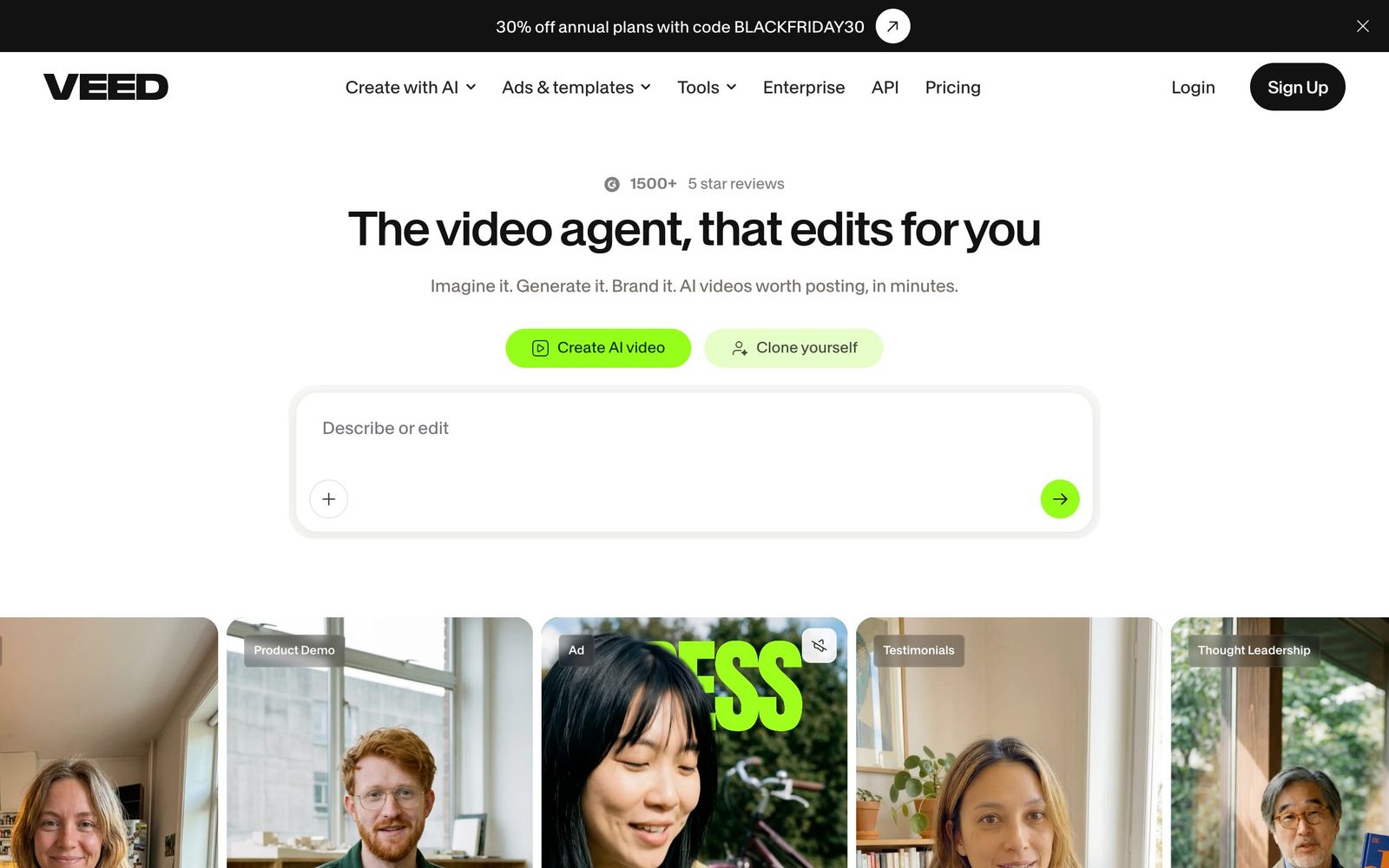
Our rating: 4.1/5. Fit for this job 4.1/5, ease of use 4.4/5, value for money 3.9/5.
VEED's automatic subtitle generator is unlimited on paid plans (with a 50-hour monthly fair use), and VEED AI, launched 18 November 2026, edits a social video from your footage or an idea.
Standout feature: Unlimited subtitles on paid plans, inside a browser editor with dubbing and avatars.
What's the difference between VEED and Submagic? VEED is a full editor with subtitles, dubbing and avatars. Submagic is a faster, narrower caption tool.
VEED pros:
- Easy browser editor with strong subtitles
- Avatars, dubbing and eye contact fix
- Brand kits
- iPhone and Android apps
VEED cons:
- Priced per editor, so teams pay per seat
- AI credits and translation minutes don't roll over
Pricing: Free plan with watermarked videos and 50 AI credits a month. Creator is $25 a month, or $12 a month billed yearly, per editor.
Choose VEED over Submagic if: captions are one step in a bigger edit.
What's new in VEED: VEED AI, a video editing agent for social videos, launched on 18 November 2026.
Available for: Web, iPhone and Android
#8 Kapwing: Best for subtitles for a team in the browser
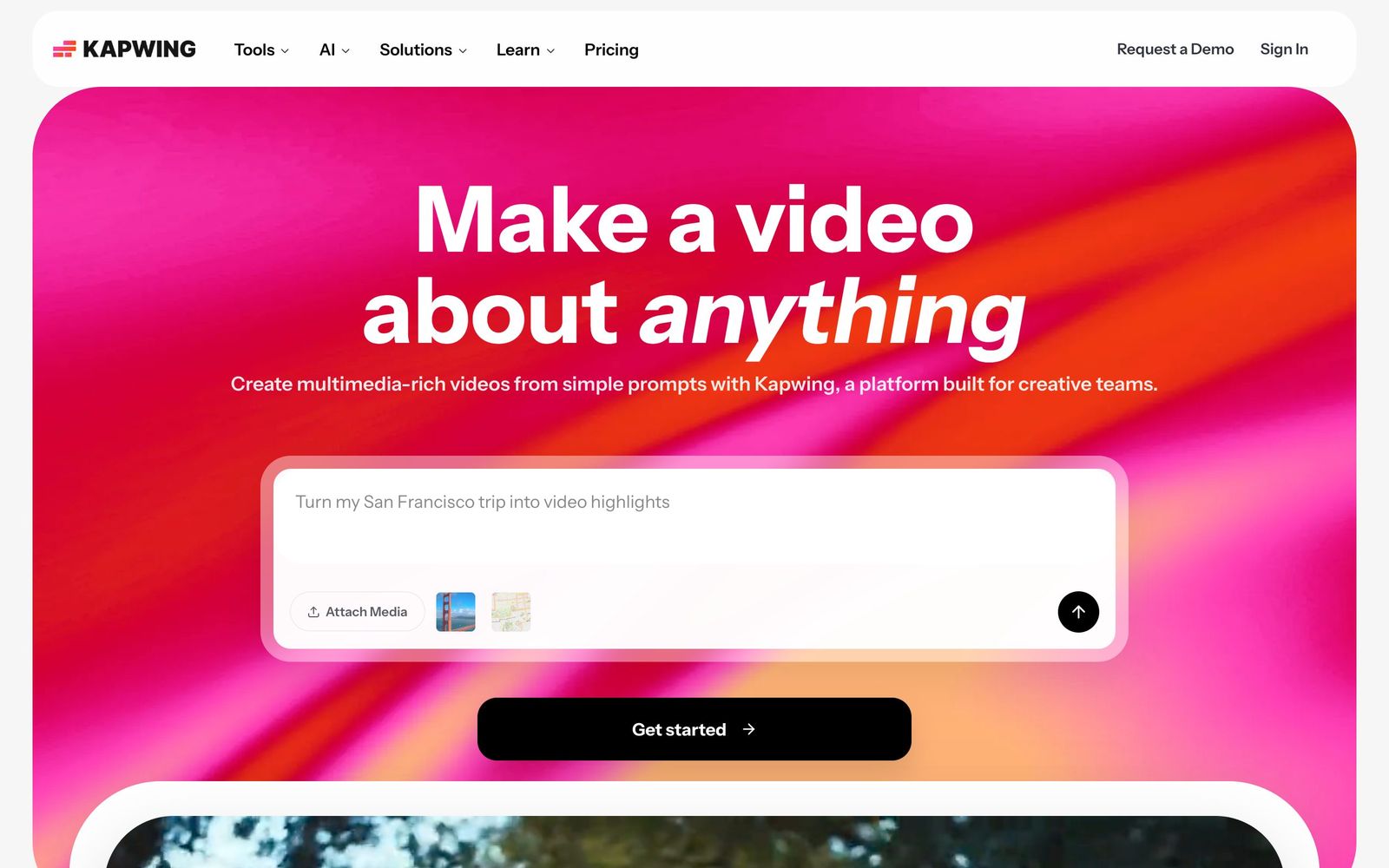
Our rating: 4.0/5. Fit for this job 3.9/5, ease of use 4.3/5, value for money 3.7/5.
Kapwing does auto subtitles, translation and dubbing on a collaborative browser platform, and added 12 new subtitle presets in August 2026. Kai, its agent, runs multi-step jobs on its own.
Standout feature: Kai, an AI agent inside the browser editor that runs multi-step jobs, plus an MCP connection for Claude and ChatGPT.
What's the difference between Kapwing and Submagic? Kapwing is a team editor with subtitles and dubbing. Submagic is a caption tool built around animated templates.
Kapwing pros:
- Full browser timeline with team collaboration
- Subtitles, translation and dubbing into 40+ languages
- Repurpose Studio for social clips
- Kai agent and MCP connector
Kapwing cons:
- Free exports are watermarked, 720p and 4 minutes at most
- Trustpilot score of 1.8 (1,375 reviews); the low reviews we read mention credits lost on failed AI jobs and refused refunds
Pricing: Free plan with a watermark, 720p and videos up to 4 minutes. Pro is $24 a month, or $16 a month billed yearly.
Choose Kapwing over Submagic if: a team edits the videos together.
What's new in Kapwing: Kapwing MCP 1.1.0 (27 October 2026) lets Kai generate images and video with reference media; August added Kai autonomous mode and Seedance 2.5.
Available for: Web
#9 Descript: Best for captioning long videos you edit by text
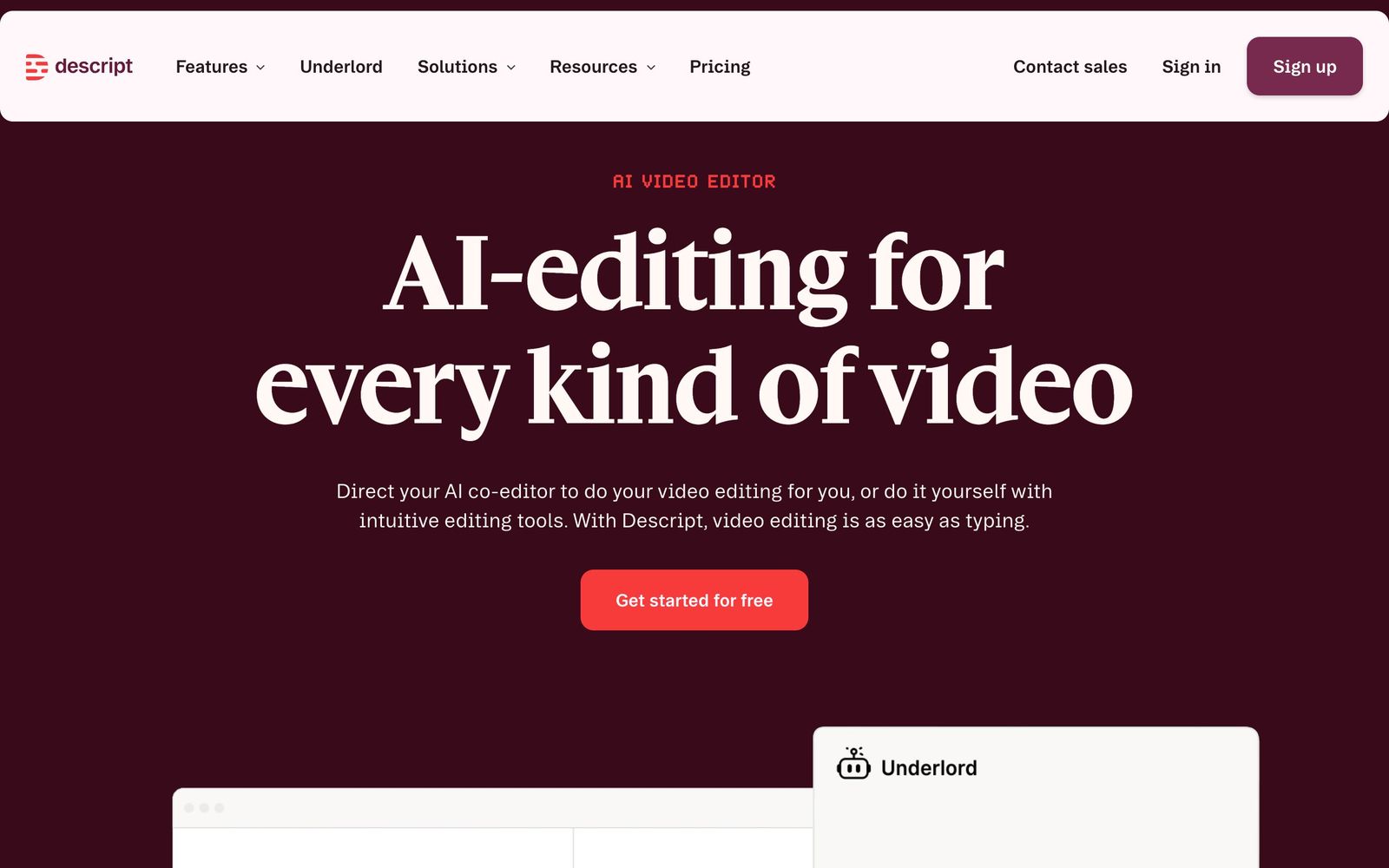
Our rating: 4.1/5. Fit for this job 4.0/5, ease of use 4.1/5, value for money 4.1/5.
Descript edits video by editing its transcript, so captions come almost for free, and it has no per-video length cap like Submagic's 2 minutes. Its plans cap media hours instead.
Standout feature: Captions come from the transcript you edit, with no per-video length cap.
What's the difference between Descript and Submagic? Descript handles long videos and full editing. Submagic is faster for short captioned clips.
Descript pros:
- Edit the video by editing its transcript
- Screen recording and remote recording (Rooms)
- Timeline export to Premiere, Resolve and Pro Tools
- Underlord skills save your own workflows
Descript cons:
- Paid plans cap media hours (10, 30 or 40 a month)
- Trustpilot score of 2.4 (301 reviews), with bugs and credits spent on weak AI results
Pricing: Free plan with 1 media hour a month and 720p exports. Hobbyist is $24 a month, or $16 a month billed yearly.
Choose Descript over Submagic if: your videos are long and you edit by text.
What's new in Descript: November 2026 release: Underlord skills, brand layout packs, Rooms dead-mic warnings and native Premiere export in beta (changelog, 6 November).
Available for: Desktop app and web
Best Submagic alternative for shorts without filming
Some Submagic users caption shorts they never wanted to film. This tool skips the filming.
#10 Higgsfield: Best for avatar-hosted shorts from a topic
Our rating: 3.7/5. Fit for this job 3.2/5, ease of use 4.2/5, value for money 3.6/5.
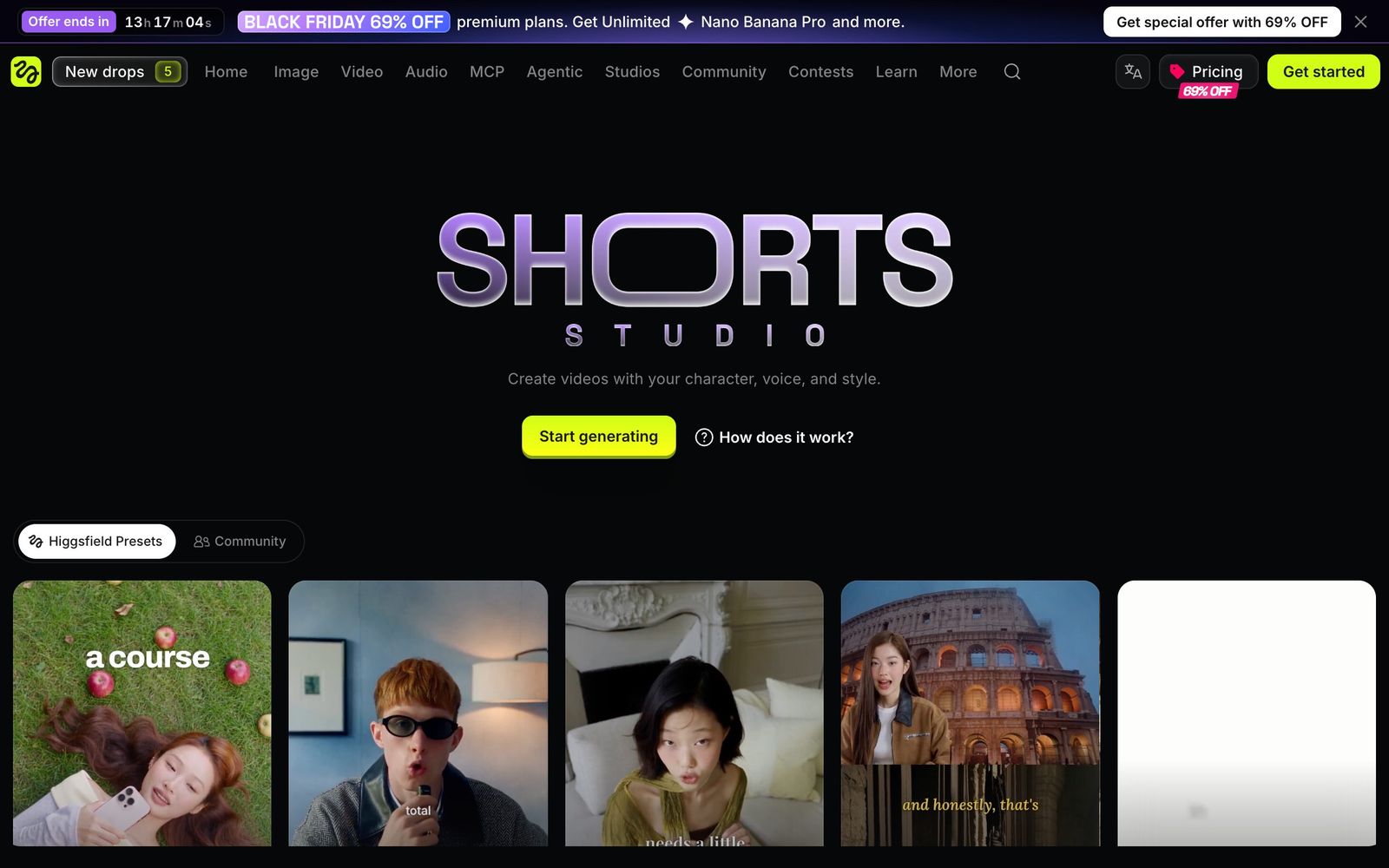
Higgsfield's Shorts Studio writes the script from a topic and an AI avatar hosts it, copying motion from a reference or trending video. You still caption the result, but there is no recording to make first.
Standout feature: Makes the short itself, avatar host and script included, so there is nothing to film.
What's the difference between Higgsfield and Submagic? Higgsfield generates the short. Submagic captions and polishes one you already have.
Higgsfield pros:
- Many video models in one place, including Seedance 2.5, Kling 4.0 and its own exclusive MAGI-2
- Ads Studio and Marketing Studio make product ads from your website
- Editing Room swaps the person, angle, location or lighting in your own clip
- MCP for Claude, an API, a command-line tool and an After Effects plugin
Higgsfield cons:
- Free plan has no credits, and Starter covers selected models only
- Unlimited and free generations work only on the website, not through its connector or command-line tool
Pricing: Free plan with 0 credits and selected models only. Starter is $19 a month with 270 credits, the same billed monthly or yearly; Plus is $59 a month.
Choose Higgsfield over Submagic if: you want shorts without being on camera.
What's new in Higgsfield: Shorts Studio (3 November 2026) added avatar-hosted vertical reels; Editing Room followed on 20 November and MAGI-2 on 24 November.
Available for: Web, plus an API, a command-line tool, MCP for Claude and an After Effects plugin
How to choose the best Submagic alternative
Look at the length of your video content first, then at how much your captions need to look like you.
How long are your videos?
Submagic caps captioned videos at 2 minutes on Starter, 5 on Pro and 30 on Business. HyperFrames Studio and Descript have no per-video cap. Exemplary AI takes 4 hours on Creator, and Vizard takes 10.
How unique should your captions look?
Templates are fast, and everyone has them. If your caption look is part of your brand, you need per-word control: colour one keyword, break a line where you breathe, set a word behind you. HyperFrames Studio does this by asking; Captions gives you 100+ caption styles.
Which languages do you need?
Captions supports 100+ caption languages, Exemplary AI transcribes 99 and translates into 116, and VEED and Kapwing translate and dub. HyperFrames Studio transcribes 25 languages locally.
Where do you edit?
On a phone: Captions or CapCut. In a browser: VEED or Kapwing. On a computer, with free local exports: HyperFrames Studio.
What does each captioned video cost?
Submagic Starter works out at roughly $1.27 a video (45 credits, 3 per upload, $19). CapCut adds captions free. HyperFrames Studio is free to start and exports without limits on your computer.
How we compared
Every tool on this list was scored on three things:
- Captions. Accuracy, styles, how much you can change per word, and caption languages.
- Limits. Maximum video length, export quality and watermark on each plan.
- Value. What the free plan gives and what the first paid plan costs per captioned video.
User complaints. We read recent reviews on Trustpilot, Product Hunt and the App Store and say when a complaint comes from a single review, with its date when it is old. Some review sites (G2, Capterra) blocked automated reading, so their scores are not quoted.
Ratings. Each tool gets three scores out of 5: fit for the job this page is about, ease of use, and value for money (free plan, entry price, watermarks and caps). The overall rating is their average. The scores are our judgment from the sources above, not a lab benchmark.
The films. The film near the top was made with HyperFrames for this page from our own presenter footage. The captions film in the HyperFrames section was made by the HyperFrames team.
Cost per video. We divided each plan's monthly price by the number of captioned videos it allows (Submagic: 45 credits at 3 per upload). It is a rough guide, not a quote.
Conclusion
If captions are your brand, HyperFrames Studio is the best Submagic alternative: no length cap, dozens of styles, a caption style you saw rebuilt on your footage, and every word editable by asking. It is free to start, with free local exports.
If you edit on your phone, Captions is our top pick, and CapCut captions free on every device. If your shorts come from long videos, OpusClip or Vizard. Keep Submagic if your videos are under 2 minutes, you like its templates, and you want Iris to add zooms and B-roll without you.
Caption your next video free in HyperFrames Studio
Frequently asked questions
What is the best Submagic alternative?
HyperFrames Studio is the best Submagic alternative for creators who want their own caption style on videos of any length, rated 4.7 out of 5 here. Captions (4.4) is the best for iPhone editing, and OpusClip (4.3) for clips from long videos.
Is there a free Submagic alternative?
Yes. HyperFrames Studio is free to start and exports without limits on your computer, and CapCut adds captions for free on every device. Submagic's own free plan is 15 one-time credits with a watermark.
Which Submagic alternative works for videos longer than 2 minutes?
HyperFrames Studio puts no cap on the length of a captioned video. Descript doesn't cap captioned videos at a few minutes either, though it caps media hours per month, and Exemplary AI takes videos up to 4 hours on Creator. Submagic itself allows 5 minutes on Pro and 30 on Business.
Can I make Hormozi-style captions without Submagic?
Yes. Ask HyperFrames Studio for "big bold word-by-word captions, the spoken word highlighted" and it applies the style. Captions has 100+ caption styles to try. See animated captions for examples.
Which caption tool supports the most languages?
Captions supports 100+ caption languages, and Exemplary AI transcribes 99 and translates into 116. HyperFrames Studio transcribes 25 languages on your computer.
Is Submagic better than Captions?
Submagic is better for fast template captions and auto-zooms on the web. Captions is better on an iPhone, with 100+ caption languages and a full AI Edit of the whole video.
Is Submagic better than OpusClip?
Submagic is better for captioning videos that are already short. OpusClip is better at finding and ranking clips inside a long recording.
Does Submagic have a watermark on the free plan?
Yes. Submagic's free sign-up gives 15 one-time credits and the exports carry a Submagic watermark. Paid plans remove it.
Why are creators looking for alternatives to Submagic?
The common reasons are the 2-minute cap on Starter, credits that cover about 15 videos a month, billing complaints on Trustpilot, and captions that look like everyone else's.
How many clips can AI generate from one video?
It depends on the tool. Vizard says one upload can return 30+ clips, and OpusClip advertises 10 viral clips from any footage. In HyperFrames Studio you ask for as many as you want.
What types of video content work best with these tools?
Talking heads, podcasts and interviews caption best, because there is clear speech to transcribe. Music-heavy or multi-speaker videos need a tool that handles speakers: HyperFrames Studio's podcast edit captions each speaker separately.
Can I export an SRT file?
Yes. HyperFrames Studio exports SRT and VTT files, and keeps the captions as editable pieces in the video itself.
Can I caption on my phone?
Yes, with Captions or CapCut, which both have phone apps. HyperFrames Studio and Submagic run on computers and the web.
Is HyperFrames free?
Yes, HyperFrames is free to start: a free download, built on the free, open-source engine with 90,000+ GitHub stars. Pro is $25 a month for more (pricing).

Written by Ular Kimsanov
Ular Kimsanov works on HyperFrames at HeyGen, the free, open-source tool where AI agents make videos, and writes about making videos with AI agents. Prices and plans on this page were checked on 26 November 2026.